


Meta AI
4.610.09K Reviews
App Specs
- Version
- 280.1.0.36.162
- Updated On
- License
- Free
- Downloads
- 50,000,000+
- Developer
- Meta Platforms, Inc.
- Categories
- Social
- Platform
- Android, iOS
Screenshots
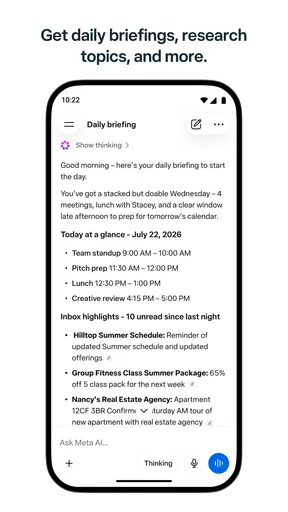

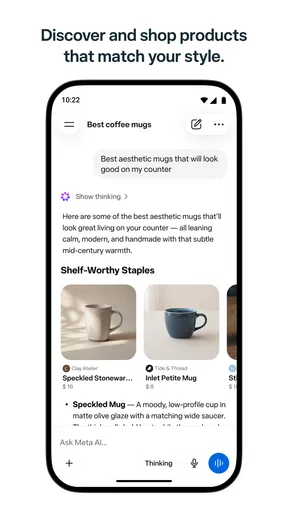
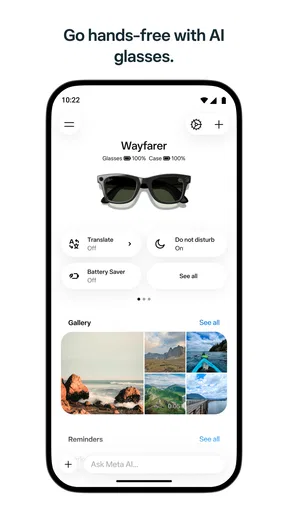
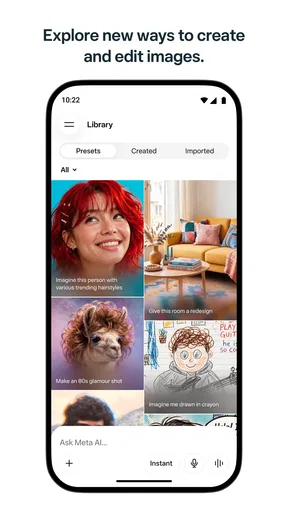
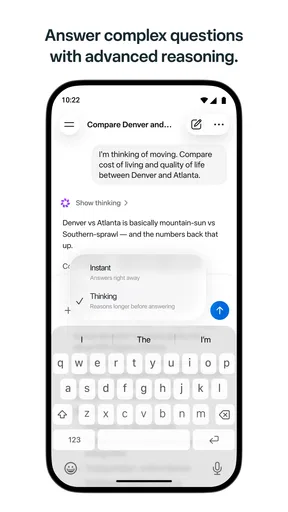
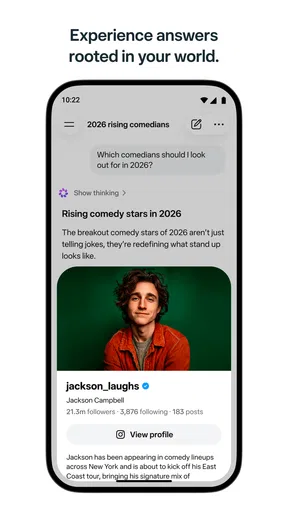
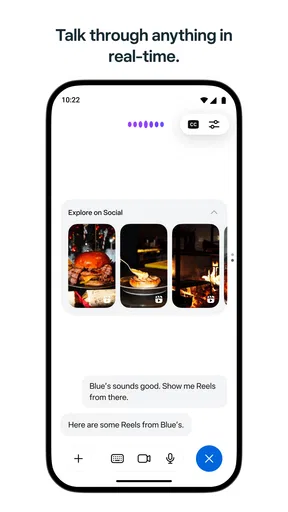
 Analysis by AppCompare
I wouldn’t choose an app by its name alone, especially when it mentions both AI and glasses. The first thing I’d do with Meta AI - Vibes & AI Glasses is check what it actually offers on my device and which connected products I use. The app is a free social app from Meta Platforms, Inc., and its current store summary points to creating AI videos and getting answers. That makes it most useful to think of it as an AI-oriented companion, rather than assume that every feature associated with smart glasses or augmented reality is available to everyone.
A practical starting routine
My baseline workflow would be simple: open the app with one clear question or creative task in mind, see what kind of response it gives, then decide whether to refine the request or use another tool. For example, if I’m planning a casual get-together, I might ask for a few theme ideas, choose one, and then use the video-creation tools to explore a visual direction. Treating the app as a place to brainstorm and iterate is more useful than expecting one vague prompt to produce a finished result.
For everyday questions, I’d also keep the stakes in mind. AI answers can be a convenient first pass when I need an explanation, a list of ideas, or help putting a thought into words. If the answer could affect health, money, safety, or an important decision, I would verify it with a reliable source rather than relying on a conversational response alone. That small habit makes an AI assistant more helpful without giving it more authority than it deserves.
Build a repeatable rhythm, not a complicated setup
Experienced users often get better results by repeating a practical sequence: describe the goal, add the context that matters, review the result, and request a specific adjustment. When making an AI video, for instance, I’d decide on the subject and mood first, then judge whether the output matches that intention before changing anything else. This is a more controlled way to experiment than adding several unrelated instructions at once.
I’d also save useful wording somewhere I can reach easily, such as a personal note, rather than trying to remember a prompt that worked once. That doesn’t require a special app feature; it is simply a good habit when you use AI for recurring tasks. A prompt for generating party concepts, another for simplifying a paragraph, and one for exploring video ideas can each have a different purpose. Keeping those purposes distinct makes it easier to notice what actually improves the answer.
Where it fits among social and AI apps
Meta AI sits in an interesting space between social software and an AI helper. Compared with a conventional social app, the main appeal here is not just browsing posts or keeping up with friends: it is asking for help and experimenting with generated video. Compared with a dedicated AI service, its Meta identity and social framing may feel more familiar to people already comfortable with the company’s ecosystem. If your priority is a specialist editor, a research-focused assistant, or a simple private notes tool, though, a purpose-built alternative may suit you better.
That distinction matters before you make it part of your routine. I’d recommend it to curious users who want to try AI answers or video creation without paying to download the app, and to people who enjoy testing creative ideas in short sessions. I would skip it if you want predictable, professionally finished video editing, need every answer to be source-checked, or prefer to avoid AI-generated content altogether. It is a companion for exploration, not a substitute for careful research or a dedicated production workflow.
Worth Reading Before You Choose

Baby Panda World Brings Quick Play to Modern Phones, but Its Game Library Feels Busy

ESPN’s Live Game View Makes Following Close Games Easier

QuizzLand Review: A Good Fit for Short Trivia Breaks, Not Every Player

Basketball Stars: Multiplayer Is Fast, but Can It Recover When Matches Go Wrong?

WEBTOON Turns Phone Updates Into a Better Reading Routine

Link to Windows Runs on Shared Habits, Not Social Feeds
Check the basics before relying on it
The app is rated for Everyone, has more than 10 million installs, and holds a 4.7 average from around 913,000 ratings. It first appeared on September 8, 2021, and version 251.0.0.61.166 requires Android 10 or later. Those figures suggest a widely used app, but popularity alone doesn’t tell me whether its current tools fit my needs. I’d check the version available on my device and spend a few minutes testing the specific task I care about before building a habit around it.
Small habits that make AI more useful
A realistic use case is getting ready for a weekend event. I could ask for a few low-effort activity ideas, add constraints such as the group’s interests, then use a separate request to explore a short visual concept for an invitation. The useful part is the back-and-forth: I can reject ideas that don’t fit and narrow the request. I wouldn’t assume the generated result is ready to publish without checking it, especially if it includes details or imagery that matter to other people.
There are also sensible limits to keep in view. An AI response can sound confident while missing context, and generated media may need edits before it is suitable for sharing. I’d avoid entering sensitive personal details unless I understand the app’s current privacy choices, and I’d review any available settings rather than assuming a default matches my preferences. For content involving other people, getting their permission and checking what I’m about to share are better habits than relying on the novelty of the tool.
Choose settings around how you actually use it
Before using the app regularly, I’d look through its available settings and permissions on my phone, then allow only what supports the tasks I plan to do. Settings can change over time, so it is worth revisiting them after updates or when my use changes. I would not grant access simply because an app might someday make use of it; I’d connect a permission to a clear, immediate purpose.
For faster sessions, I’d keep a short list of repeatable tasks: one for asking a question, one for developing an idea, and one for experimenting with an AI video. I’d phrase each request with the audience, tone, and desired result where those details matter. If the response misses, I’d change one part of the request at a time. That makes it easier to learn whether the problem was unclear wording, missing context, or a limitation in the result itself.
The Future is Now with Augmented Reality
When I first popped on my AI glasses, I felt like I was stepping into the future. The Meta AI - Vibes & AI Glasses app uses augmented reality to enhance your everyday experiences. Imagine walking down the street, and your glasses subtly highlight points of interest or even give you quick navigation directions without you having to pull out your phone. It’s like having a digital layer over the real world.
Seamless Integration with Your Life
The app integrates with various platforms, making it a breeze to sync with your calendar, emails, and social media. I was pleasantly surprised by how intuitive it is. For example, if you’re on your way to an appointment, the glasses can provide real-time traffic updates and even suggest alternative routes. It’s a real game-changer for productivity on the go.
Customizable Vibes for Every Mood
One of the coolest features is the ability to customize the "vibes" that your glasses project. Whether you’re feeling upbeat and want some funky visuals or in a more relaxed mood, the app has you covered. You can select from a variety of themes and even create your own. It’s like curating a personal atmosphere wherever you are.
Privacy and Security
I know what you might be thinking—what about privacy? The app developers have done their homework here. There are robust privacy settings, allowing you to control what data is shared and with whom. I found it comforting to know that I could enjoy all these features without compromising my privacy.
Easy to Use, Hard to Put Down
Getting started with the app is straightforward. The user interface is clean and user-friendly, making it accessible even if you’re not the most tech-savvy. After just a few minutes, I was navigating like a pro. And honestly, once you start using it, it’s hard to imagine going back to a life without it.
Overall, Meta AI - Vibes & AI Glasses is not just about cool technology; it’s about enhancing your daily life in meaningful ways. Whether you’re looking to boost your productivity, enjoy some personalized digital vibes, or simply stay connected with ease, this app offers something for everyone. Give it a try, and you might just find yourself wondering how you ever got by without it.
What I would test before settling in
The experience I’d trust is the one I’ve checked myself on the device and account I intend to use. I’d try an ordinary question, a follow-up that adds a constraint, and a small video idea, then compare the effort against my usual tools. If the app makes the first draft faster but still leaves me with substantial editing, that can be worthwhile for brainstorming; it is less compelling when I need a polished result on a deadline.
I’d also separate convenience from correctness. For a quick explanation, I might use an answer to find the right terms to search or to understand what to ask next. For facts that change or require evidence, I’d check current, dependable sources. That distinction is especially useful when an answer is fluent: smooth wording is not the same thing as a verified answer.
My verdict on making it part of a routine
Meta AI has a sensible role for people who like trying conversational help and AI video creation in the same social-app setting. I’d keep it in rotation for low-stakes ideation, quick questions, and playful visual experiments, while leaving specialist work to tools designed for editing, research, or organizing information. The app is free to download, and its broad audience makes it approachable, but the best reason to keep using it is practical: it should save effort or spark an idea in the tasks you actually do.
My advice is to start with one repeatable use case, check the settings that matter to your comfort, and judge the output rather than the promise of AI. If it helps you move from a blank page to a workable idea, that is a genuine benefit. If you find yourself correcting every answer or rebuilding every video elsewhere, there is no need to force it into your workflow. That measured approach is how I’d get value from it without expecting it to replace tools or judgement I still need.
Pros
- Innovative AR integration with AI glasses.
- Seamless sync with social media platforms.
- Intuitive and user-friendly interface.
- Real-time AI assistance and suggestions.
- Personalized user experience with AI.
Cons
- Requires a stable internet connection.
- Limited compatibility with older devices.
- Battery drain with prolonged use.
- Subscription needed for premium features.
- Occasional AI misinterpretations.
FAQs for Meta AI
What is the primary function of Meta AI - Vibes & AI Glasses?
Meta AI - Vibes & AI Glasses is designed to enhance your augmented reality experiences using AI-powered technology. It provides interactive features that allow users to explore virtual environments with realistic overlays. The app is compatible with Meta’s AI glasses, offering a seamless blend of digital and physical worlds.
Is Meta AI - Vibes & AI Glasses compatible with all devices?
Meta AI - Vibes & AI Glasses is primarily designed for use with Meta’s AI glasses, but it also supports various Android and iOS devices. However, for optimal performance, it's recommended to use devices with the latest operating systems and sufficient processing power to handle augmented reality applications.
Does Meta AI - Vibes & AI Glasses require an internet connection?
While some features of Meta AI - Vibes & AI Glasses can be used offline, an internet connection is required for full functionality. This includes accessing the latest updates, downloading new virtual environments, and utilizing certain interactive features that rely on real-time data processing and AI enhancements.
Are there any subscription fees or in-app purchases in Meta AI - Vibes & AI Glasses?
Meta AI - Vibes & AI Glasses offers a free version with basic features. However, to unlock the full suite of advanced capabilities, users may opt for a premium subscription. Additionally, there are in-app purchases available for exclusive content and personalized virtual experiences, enhancing user engagement.
How user-friendly is Meta AI - Vibes & AI Glasses for beginners?
Meta AI - Vibes & AI Glasses is designed with an intuitive interface, making it accessible for beginners. The app includes a detailed tutorial and user guide to assist new users. Its simple navigation and user-friendly design ensure that even those unfamiliar with augmented reality can quickly adapt and enjoy the experience.


